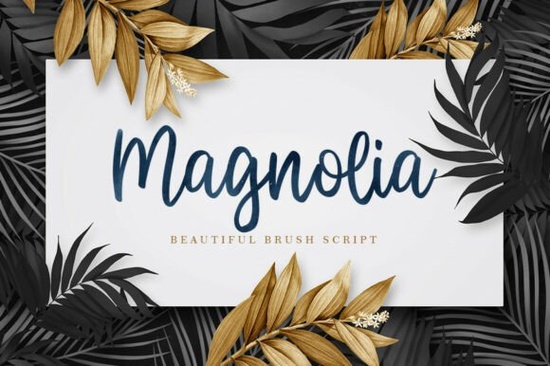
Magnolia font is a beautiful, expressive brush script that radiates elegance and natural grace. The first time you see its fluid, organic strokes and visible “watercolor” texture, you'll understand why it’s a favorite for luxury branding and wedding stationery. Magnolia font captures the hand-painted look so well that every word feels bespoke. Whether you’re designing a botanical invitation or a high-end perfume logo, this typeface brings a sophisticated, believable human touch. You can preview all 300+ glyphs and see the full character set on the Magnolia font details page.
What makes the Magnolia font stand out among other brush scripts?
Unlike a typical digital script that often looks too clean, the Magnolia font has built-in texture and edge variation that mimics ink bleeding on paper. The letterforms connect smoothly with natural, calligraphic flow, yet the slight irregularity in the stroke endings gives it an artisanal feel. This isn’t just another cursive font; its watercolor effect holds up beautifully at large display sizes and still reads well in smaller subheadings.
Which projects get the most out of Magnolia font?
Because of its romantic, upscale character, Magnolia is a top choice for wedding suites, save-the-date cards, and place cards. In the beauty industry, you’ll see it on skincare packaging, salon menus, and editorial magazine spreads. Print-on-demand sellers use it for tote bags, framed prints, and mug designs where that handcrafted look appeals to shoppers. Small business owners often select Magnolia for their primary logo mark it gives a boutique feel without needing custom lettering.
How do you pair Magnolia font with other typefaces?
To create a balanced design, combine the expressive Magnolia with a clean, high-contrast serif or a simple sans-serif. For branding, try Playfair Display or Cormorant Garamond as a secondary text face. The sharp serifs anchor the layout while Magnolia adds warmth and movement. In invitations, use Magnolia for the names and the serif for details like dates and locations. This pairing works well across both print and digital, as long as you watch the contrast in weight keep the support type light enough to avoid competing with the script’s thick strokes.
What other script fonts offer a similar feel?
If you love the watercolor brush look but need options with a slightly different mood, these script fonts are worth exploring. Each brings its own personality while staying within the elegant, hand-lettered category.
Restweek font has a looser, more playful bounce that works well for casual branding and social media graphics. You can compare its alternates and ligatures on the Restweek script specimen.
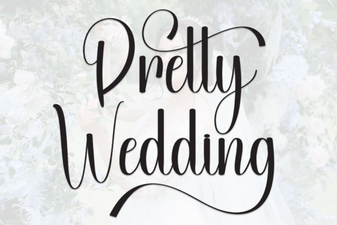
For formal wedding suites and refined stationery, Pretty Wedding font adds graceful swashes and delicate connectors. I often recommend checking the Pretty Wedding font page to see how its uppercase letters flow.
Ellegrin font takes a modern approach with sleek alternates and a clean baseline; it’s a favorite for contemporary logo designs. You’ll find extended language support and stylistic sets on the Ellegrin glyph map.
When you need a fun, celebratory touch, Birthday font adds a whimsical flair with bouncy ascenders. Take a closer look at its full character set on the Birthday font details.
What should I know about licensing and using Magnolia font?
Magnolia font is available with a Creative Fabrica subscription, which covers personal and commercial use including print-on-demand sales and logo creation. Before you start, review the license terms on the product page to confirm it fits your needs. For crafting with Cricut or Silhouette machines, the OTF files install just like any other font, and the textured look stays crisp in cut projects as long as you convert text to outlines or use the proper file type.
Quick checklist for your next project
- Download Magnolia font from Creative Fabrica and test the watercolor texture in both RGB (digital) and CMYK (print) modes.
- Pair it with a contrasting serif, such as Playfair Display, for logos and invitations.
- Check alternate characters and ligatures using your software’s glyphs panel for a custom hand-lettered effect.
- If you sell physical products, always outline text or embed the font properly to keep the textured details intact.
If you’re ready to add this romantic brush script to your toolkit, head to Creative Fabrica and grab Magnolia font today. Experiment with a few wordmarks or a short quote chances are you’ll fall in love with the way it transforms plain text into something memorable.
Get Started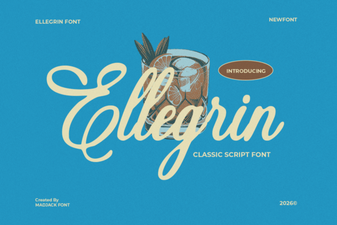 Ellegrin Font Design and Creative Uses
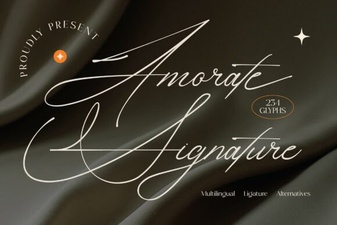 Amorate Signature Font for Unique Design Projects
 Pretty Wedding Font Design Ideas for Unique Invitations
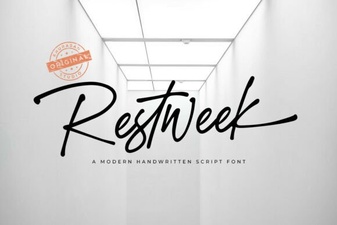 Restweek Font Modern Typography for Creative Projects
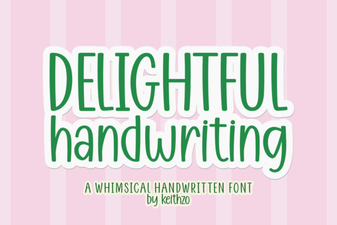 Delightful Handwriting Font for Creative Projects
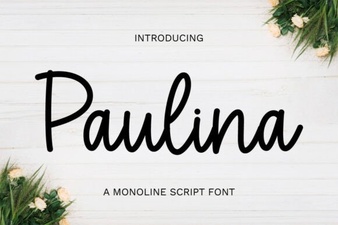 Paulina Font: Creative Typography Projects & Inspirations