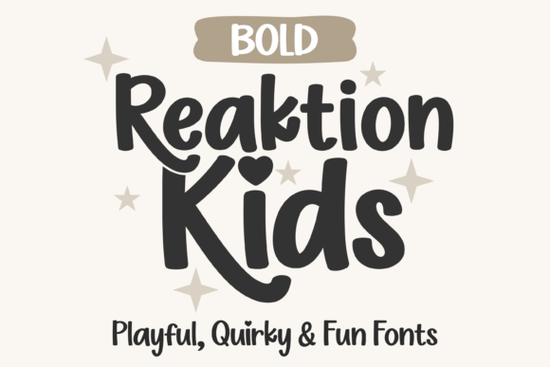
When you’re designing something for little ones, the right font makes all the difference. The Reaktion Kids Bold font hits that sweet spot between playful energy and clear readability. Part of the larger Reaktion Kids collection, this bold handwritten style brings thicker strokes, rounded shapes, and a cheerful bounce that feels right at home on children’s book covers, classroom posters, or craft projects.
What immediately stands out is the soft, bouncy lettering. Unlike stiff display fonts, Reaktion Kids Bold keeps a hand-drawn warmth while still making a strong visual statement. That bold weight helps headlines and short phrases pop on t-shirts and stickers, but the curves never feel aggressive just friendly and inviting. The entire family includes Regular, Line, Open, and Bold cuts, so you can mix and match for layered text effects without ever leaving the same visual world.
Why do crafters love a bold handwritten font for children’s projects?
A font that’s too thin can get lost on brightly colored backgrounds or busy patterns. Reaktion Kids Bold solves that with a weight that stays visible even when printed small on party bag tags or cut from adhesive vinyl. For crafters using Cricut Design Space or Silhouette Studio, that extra thickness also means smoother weeding and a cleaner final cut. The letters hold their shape well, so a name decal for a nursery wall or a classroom door sign looks polished without extra effort.
The font’s personality leans into a soft, almost marker-like texture. The lowercase a stays open and round, ascenders have just enough height to feel dynamic, and the overall rhythm works beautifully for all-caps kid-friendly headlines or short reading passages. Teachers often reach for this style because it feels approachable for early readers while still delivering enough visual interest for posters and flashcards.
How does the heart-dot alternate add charm to your lettering?
One small detail that sets Reaktion Kids Bold apart shows up on the lowercase i and j. Instead of a standard dot, you get a tiny heart alternate. It’s a subtle switch that makes a name like “Millie” or a phrase like “just for you” instantly cuter. Because the font uses PUA encoding, these alternate glyphs are available even in basic design programs no advanced OpenType features required. You just open the character map, find the heart-dotted versions, and paste them in.
This little feature earns its keep on printable artwork, birthday banners, digital scrapbook pages, and product mockups. A print-on-demand seller might use the heart alternate on a best-selling toddler tee or a nursery print; a party designer could sprinkle it onto invitation envelopes. It’s a quick way to inject personality without overcomplicating the composition.
Which software and machines support Reaktion Kids Bold?
The download includes both OTF and TTF files, so you can install the font on a Windows or Mac computer and use it in virtually any program that works with system fonts. This covers industry-standard tools like Adobe Illustrator, Photoshop, Procreate, Affinity Designer, Inkscape, and even simple word processors for quick printouts. Craft machine users can type directly in Cricut Design Space or Silhouette Studio no additional text manipulation needed.
Because the complete character set is PUA-encoded, every glyph (including those heart alternates, swashes if present, numbers, punctuation, and symbols) is accessible in any software that can display a font’s character map. That means you won’t need a high-end design suite just to unlock the full playful potential of this font.
What kinds of projects benefit from a playful display font like this?
Reaktion Kids Bold works across a surprisingly wide range of applications. While it’s obviously at home on children’s room decor, growth charts, and baby shower invitations, it also performs well on physical products like stickers, magnets, tote bags, and apparel. The letters remain legible even when scaled down for gift tags or thumbnails, thanks to the clean, rounded structure.
Print-on-demand sellers often pair fonts like this with colorful illustrations for trending kid niches. A quote like “Little Hands, Big Dreams” in Reaktion Kids Bold layered over a watercolor dinosaur becomes a best-selling crewneck design. For those looking for a different flavor of display font, you might also enjoy the funky bounce of Hoopsy or the vintage-inspired curves of Senior. Each brings a distinct voice, but Reaktion Kids Bold holds its own when a clean, bold, and truly childlike feel is the goal.
Beyond products, this font fits into digital content creation: YouTube thumbnails for kids’ channels, Instagram posts from children’s brands, or educational worksheets. The bold weight reads well on screens, and the consistent stroke contrast minimizes weird pixelation at mid-level font sizes.
Is the Reaktion Kids collection flexible enough for commercial work?
The entire Reaktion Kids bundle (Regular, Line, Open, Bold) gives you a toolkit, not just a single font. You can set headlines in Bold, subheadings in Regular, and accent words in Line or Open to create a coordinated look without hunting for matching fonts. This consistency is valuable for small businesses that want a cohesive brand feel across product lines, packaging, and social media.
Because each style shares the same bubbly skeleton, you maintain visual harmony while still introducing contrast. That layered approach is popular among crafters who design multi-text SVG files for craft fairs and Etsy shops. The Open version works beautifully for coloring book titles or frosted glass effects, while the Line variant can outline a word that kids color in themselves perfect for activity sheets and classroom materials.
When you need something completely different maybe a rugged, textured display font for an adventure-themed kid’s party glancing at a contrast style like Broken Rudder can remind you how versatile the display font world really is. Still, for a soft, confident, and instantly approachable look, Reaktion Kids Bold remains a standout choice.
Quick tip: getting the most out of those heart-dot alternates
If you’re using a program that doesn’t automatically offer alternate glyphs, don’t worry. Type your text as usual, then open your system’s Character Map (Windows) or Font Book (Mac). Locate the heart-dot i and j characters, copy them, and paste over the standard letters. In Procreate or Illustrator, you can also use the Glyphs panel for a faster workflow. This quick step adds that signature whimsy in seconds, making each design feel a little more special.
Try It Free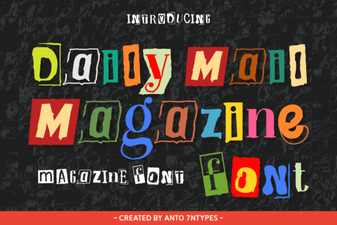 Daily Mail Magazine Font Design Ideas
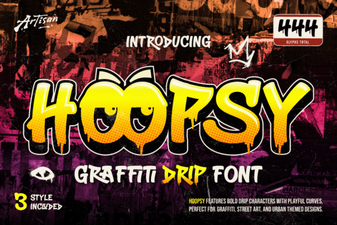 Hoopsy Font Design Trends and Creative Uses
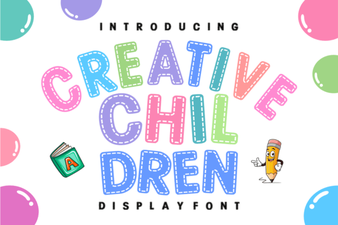 Creative Kids Font Design for Fun Projects
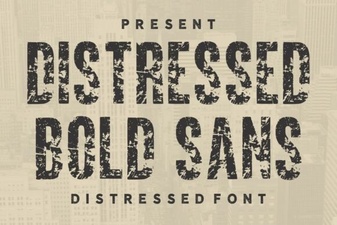 Distressed Bold Sans Font for Creative Projects
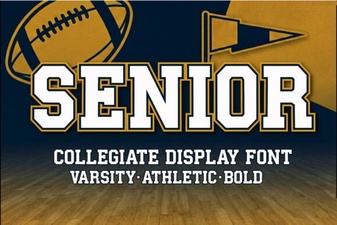 Best Senior Font Choices for Professional Design Projects
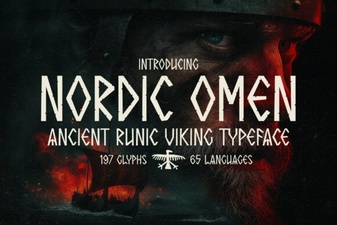 Nordic Omen Font Design and Creative Uses